
Crew tools + CRM built for mobile detailing teams.
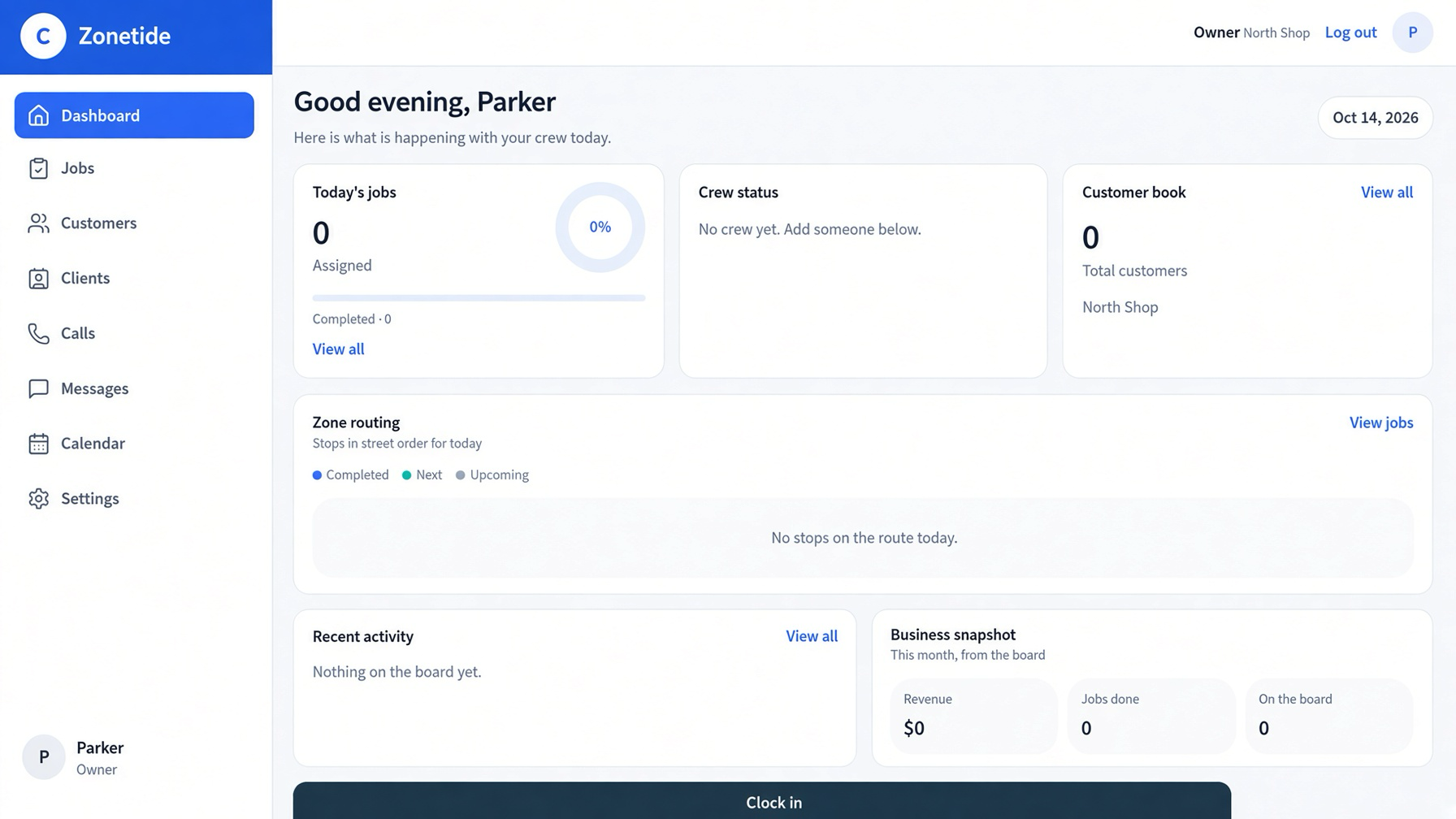
Zonetide gives your techs the jobs, zones, quotes, and customer book they actually use — so you stop losing follow-ups and can run a tighter day. Unlimited crew, one flat price.

Why we’re different
Most shops don’t leave a CRM because it’s missing features. They leave because it was never built for how a detailing day actually runs.
Built for mobile crews
From correction and interiors to memberships and rebooks — everything your team needs without the setup of a generic CRM.
Role-Based Views
Techs see their tickets and cut. Desk sees bookings. Owner sees the full board, money, and today’s zone.
Customer Book
Shared list with stages (lead → quoted → booked → done → follow-up), notes, and one-tap texts with the customer’s name already filled in.
Jobs & Quotes
Open the job, check off correction steps, mark it done. Build quotes with size, package, and add-ons. Membership math and text scripts included.
Zone Routing
Group detailing jobs by area and day (East, South, Central, West, North). See who’s on the route and who else is nearby. Most CRMs never do this.
Custom Labels & Menu
Your words for customers, jobs, and stages. Your services and add-ons. Anything marked “on the website” is the same list the quote tool uses.
Guides & SOPs
Short bay notes: correction, interiors, releasing the car, chemicals, memberships, and missed calls — so every tech follows the same standard.
Call List
Outreach for other detailing shops that need crew tools and a real customer book. Scripts, logging, and turn a prospect into your working shop.
AI Setup
Point it at your website and it sets up your labels, prices, and job types automatically. Most shops quit a CRM during setup — this doesn’t.
Pricing
One flat price. Unlimited crew. No per-seat fees.
Zonetide
- ✓Unlimited crew
- ✓1 shop / location
- ✓Full customer book + jobs
- ✓Quotes, guides & memberships
- ✓Full zone routing
- ✓Call list + scripts
- ✓Custom labels & site menu
- ✓AI website setup
- ✓Priority support
Enterprise
- ✓Multiple locations
- ✓Advanced reporting
- ✓API & integrations
- ✓Onboarding & training
- ✓Dedicated success manager
Questions
The things shops ask before they move their day over.
Is it $120 no matter how many techs I run?+
Yes. One flat $120/mo. One tech or ten, the bill is the same. No per-tech fees, no charge for an extra login.
What if I run more than one shop?+
The flat plan covers one shop or location. More than one is a custom quote — email me and I’ll price it.
How long does setup take?+
Point it at your website and it pulls your labels, prices, and job types in. You’re not retyping your whole menu by hand.
Do my techs need their own login?+
Each tech gets their own view — their tickets, their cut. None of them costs extra.
How is this different from a generic CRM?+
A generic CRM gives you an address list and a calendar. It can’t tell you who’s on today’s route or who’s two zones over with an open hour.
Does it work if I’m not a detailing shop?+
It’s built around detailing — zones, correction steps, interiors, memberships. If your day looks like that, it fits. If it doesn’t, you’d be paying for things you won’t use.
What do I need ready to switch?+
Your customer list and the service menu you run today. Export what you’ve got and I’ll help you get it in.
About us
Zonetide started in a detailing shop, not a software office.
I run a mobile detailing business. The part that never got easier was the day itself — which techs go where, how the routes stack up, and whether the whole thing costs less to run than it earns.
Every tool I tried wanted to be everything to every trade, and none of them could tell me who was on the route or who was sitting two zones over with an open hour. So I built the one I needed. Zone routing first, because that was the real problem. Then the customer book, the quotes, the guides, and the rest of the day around it.
Every feature in Zonetide exists because a job I was running made it necessary. If your shop has the same problem, that’s exactly who this was built for.
Parker — Zonetide
parker@zonetide.appThe day it was built for
- —Routes that live in someone’s head instead of the tool
- —Techs asking what’s next instead of working it
- —Follow-ups sitting in a notes app
- —Prices and packages that shift job to job
- —Every added tech raising the software bill
Ready to run a smoother shop?
Start your shop in Zonetide — sign in or create your account, and we’ll map it to your crew, services, and zones.
Open the shopAlready have a shop account? Sign in
Want the shop under your own name?
You don't copy the shop onto your website. It gets its own address, and your site just points people there. Your main website address stays exactly where it is.
- 1.Publish the shop so it has its own link.
- 2.At your domain provider, point a name like shop.yourdomain.com at that link.
- 3.Your website keeps its address. The "Open the shop" buttons on this page can point at the new one instead.